
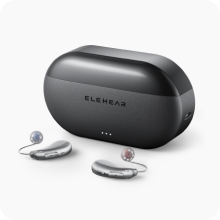
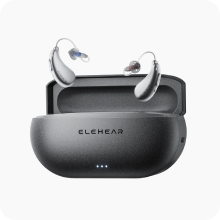


When a hearing aid stops working, the most common causes are a clogged wax guard, a dead battery, or moisture interference. To fix it, replace the power source, clean the receiver with a specialized tool, and ensure the device is dry; if these steps fail, professional AI diagnostics may be required.

[toc]
What to Do If Your Hearing Aid Stops Working: Troubleshooting Guide
The sudden silence resulting from a malfunctioning hearing aid can be disorienting, often occurring at the most inconvenient times. Whether you are in the middle of a dinner conversation or a professional meeting, a dead device creates a physical and social barrier. Most users instinctively worry that their hardware has suffered a permanent failure, but the reality is often much simpler.
The technical gap between a "broken" device and a "blocked" device is narrow. Many individuals assume that if no sound is produced, the internal circuitry has failed. However, hearing aids are precision instruments operating in a harsh environment—the human ear canal—where they are constantly exposed to moisture, heat, and cerumen (earwax).
To address these challenges, the Elehear Beyond Pro is engineered with high-durability components and VOCCLEAR® AI technology, which assists in maintaining consistent sound output. However, even the most best rated hearing aids require routine troubleshooting to stay in peak condition.
Step 1: Power Diagnostics and Battery Health
The most frequent culprit for a non-functional device is a lack of power. If you are using rechargeable otc hearing aids, ensure that the contact points on the device and the charging case are clean. Dust or body oils can create a thin film that prevents a proper electrical connection.
For those using traditional hearing aids, ensure the battery is inserted with the correct polarity. Even a fresh battery can be defective; if you suspect a power issue, try a second new battery from a different pack to rule out a localized manufacturing fault.
Step 2: The "Silent Killer" of Sound – Earwax
Earwax is the leading cause of "dead" hearing aids. Because the receiver (speaker) sits deep in the canal, it is the first point of contact for wax buildup. Even a microscopic amount of debris can completely block the sound outlet.
-
Inspect the Wax Guard: Look at the tiny filter at the tip of the device. If it appears yellow or dark, it is clogged.
-
Replace the Filter: Use the replacement tool provided with your buy hearing aids kit to swap the old guard for a new one.
-
Brush the Microphone: Sometimes the issue isn't the output, but the input. Use a small brush to clear the microphone ports of any skin flakes or dust.
Step 3: Moisture and Humidity Management
Hearing aids are susceptible to internal condensation. If you have recently exercised or been in a humid environment, moisture may have entered the sound tube or the internal housing.
If your smart hearing aids are producing a distorted or intermittent sound before cutting out entirely, moisture is the likely cause. Place the devices in a dedicated dehumidifier or a sealed container with a desiccant for at least four hours. Never use a hairdryer or microwave to dry your devices, as the extreme heat will warp the delicate AI processors.
Technical Evidence: Simple vs. Advanced Troubleshooting
Understanding the difference between a physical blockage and a software glitch is essential for a quick fix.
Simple Example: The Clogged Dome
A user notices their affordable hearing aids have stopped working after a long walk. Upon inspection, the silicone dome is filled with wax. After removing the dome and cleaning the tip with a cloth, the sound returns immediately. This is a purely mechanical issue that requires no technical intervention.
Advanced Example: The Bluetooth Sync Error
In some cases, the device is "working" but appears dead because it has lost its connection to the control app. For ai hearing aids like the Elehear Beyond Pro, a "handshake" error with your smartphone might mute the device settings. To resolve this, toggle the Bluetooth off and on, or perform a hard reset by placing the devices in the charging case for ten seconds.
When Troubleshooting Fails: Identifying Hardware Issues
If you have replaced the battery, cleaned the wax guard, and dried the device, yet the silence persists, it may be time to look for physical damage.
-
Cracked Shell: Look for hairline fractures that could allow moisture to seep into the motherboard.
-
Corroded Contacts: Green or brown discoloration on the metal charging points indicates corrosion.
-
Feedback Loops: If the device whistles but doesn't amplify speech, the internal microphone may have become unseated.
If your device is still under warranty, this is the point where you should contact support. Before doing so, taking a free online hearing test can help determine if the "loss of sound" is actually a change in your hearing threshold, rather than a device fault.
Actionable Takeaways for Prevention
-
Daily Wipedown: Use a dry, lint-free cloth to wipe your devices every night before storage.
-
Open the Door: If using zinc-air batteries, leave the battery compartment open at night to allow moisture to escape.
-
Regular Filter Changes: Don't wait for the sound to stop; change your wax guards every 4–8 weeks.
-
Store Safely: Always keep your best hearing aids for seniors in their protective case to avoid accidental drops or pet damage.
The Final Step Toward Restoring Your Sound
A malfunctioning hearing aid doesn't have to mean a ruined day. By following this systematic approach, 90% of issues can be resolved at home within minutes. However, the best way to avoid troubleshooting stress is to start with reliable, medical-grade technology.
If your current devices are frequently failing, it may be time to upgrade to the Elehear Beyond series, designed with the resilience and intelligence needed for the modern world.


