




Asking for directions abroad or talking with relatives who speak another language can be difficult when you must keep reading translations on a phone. A hearing aid that translates offers a more convenient option by playing translated speech directly through the hearing aids. How well does this work in real conversations, and where are its limits? This guide explains what translating hearing aids can do and how to get a smoother experience from the feature.
What Roles Do the Phone, App, Microphone, and Hearing Aids Play?
A hearing aid that translates usually works with a smartphone and companion app. The phone microphone captures speech, the app translates it, and the translated audio streams to the hearing aids. A brief processing delay is normal. Each part of the system has a specific role. A quick check of the language settings, microphone access, Bluetooth connection, and audio output helps the feature work smoothly.

The Phone Manages the Connection
The smartphone runs the app and maintains the Bluetooth connection with hearing aids. It runs the app, maintains the Bluetooth connection, and manages the flow of speech input and translated audio.
The phone should stay close enough to the hearing aids for a stable connection. Its operating system and app should be current, and the app must have the permissions needed to access Bluetooth and the microphone.
Other connected headphones or speakers can sometimes receive the audio instead. Before starting a conversation, confirm that the hearing aids are selected as the phone’s audio output.
The App Manages Languages and Translation
The app lets the user choose the language being spoken and the language they want to hear. Selecting the correct source and target languages helps the app interpret the conversation accurately.
The ELEHEAR app supports real-time AI translation, recording and translation, and automatic translated-audio playback. It currently supports 20 languages: English, Arabic, Chinese, Korean, Japanese, Spanish, French, German, Russian, Italian, Portuguese, Dutch, Vietnamese, Hindi, Turkish, Indonesian, Bengali, Thai, Polish, and Cantonese. Supported languages and app requirements can change with software updates, so users should review the current app information before traveling.
The Phone Microphone Captures the Original Speech
Translation quality depends heavily on what the phone microphone hears. If the original speech is unclear or incomplete, the app has less accurate material to translate.
Place the phone on a table or counter between the speakers, or slightly closer to the person whose speech needs to be translated. Avoid leaving it inside a pocket, under clothing, or next to a loud television, fan, or music speaker.
Holding the phone directly against someone’s mouth is unnecessary. A natural speaking distance with a clear path to the microphone is usually more practical.
The Hearing Aids Deliver the Translated Audio
The hearing aids provide a direct listening channel for translated speech. This provides a more direct and discreet listening experience than relying on the phone speaker in a hotel lobby, restaurant, store, or other public setting.
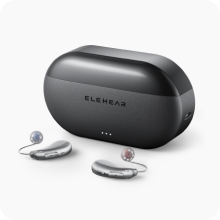
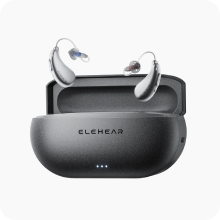
The ELEHEAR Beyond Pro combines Bluetooth streaming and app-based controls with real-time AI translation in 20 supported languages. The feature adds multilingual listening support to a device that can also be used for everyday hearing, calls, and media.

Where Can Translation Features Help in Everyday Communication?
Translation features are most useful for short, everyday conversations where people can speak one at a time and pause briefly between turns. Common situations include:
- Asking for directions, train platforms, or opening hours while traveling
- Understanding hotel check-in information
- Asking about products, prices, or menu items
- Talking with relatives who speak another language
- Following casual conversations with neighbors or at community events
For names, addresses, times, prices, and booking details, check the text on the phone or ask the other person to write them down.
What Affects Translation Accuracy, Delay, and Conversation Flow?
Translation works best when the phone captures clear speech and each person allows time for processing. The following factors have the greatest effect:
Language Settings and Speaking Style
Select the correct source and target languages before the conversation. Speak clearly at a natural pace, using direct wording where possible. Strong accents, regional expressions, mumbling, or sudden changes of topic may make speech harder to recognize.
Noise and Phone Placement
Nearby voices, music, traffic, and other sounds can interfere with speech capture. Place the phone on a table or counter between the speakers, or slightly closer to the person speaking. Avoid keeping it in a pocket or beside a loud sound source.
Turn-Taking and Sentence Length
One person should speak at a time and pause while the translated audio plays. Short, complete speaking turns give the app clearer segments to process and help the conversation flow more naturally.
Bluetooth and Network Conditions
Keep the phone close enough to maintain a stable Bluetooth connection with hearing aids. If the app uses online processing, stable Wi-Fi or mobile data can help the conversation run smoothly. Offline operation should not be assumed unless the current app information confirms it.
When Should Real-Time Translation Not Be Relied On?
Real-time translation works best for routine, low-risk communication. When a misunderstanding could affect health, safety, legal rights, or significant financial decisions, confirm the information through a qualified interpreter or an authoritative written source.
Additional confirmation is appropriate for:
- Medical diagnoses, consent forms, medication instructions, and treatment decisions
- Legal interviews, contracts, court proceedings, and immigration matters
- Emergency or evacuation instructions
- Workplace safety procedures
- Major financial agreements
- Visa conditions, border questions, or detailed travel documents
This distinguishes convenient conversational support from professional interpretation. If an ordinary translated sentence does not fit the context, ask the speaker to repeat it, shorten it, or use different wording. Checking the text on the phone can also help clarify names, numbers, and other details that must be exact.

Make Multilingual Conversations Easier to Follow
A hearing aid that translates can make travel, family conversations, and everyday service encounters easier by delivering translated speech directly to the wearer. The phone captures the conversation, the app processes the language, and compatible hearing aids provide a clear, personal listening channel.
ELEHEAR connects these functions through its app and compatible hearing aids, with 20 supported languages. Correct language settings, suitable phone placement, clear turn-taking, and stable connections help users get the most from the feature. Review the current app requirements and supported languages before traveling.
FAQs
Do Hearing Aids Translate Automatically All the Time?
No. Translation is an app-based feature that users activate when needed. The source and target languages must be selected, and the phone needs access to its microphone and Bluetooth connection. The hearing aids continue providing their regular listening support when translation is not active.
Do Translating Hearing Aids Need a Smartphone?
Usually, yes. The smartphone captures speech, runs the app, manages the language settings, and sends translated audio to the hearing aids. The hearing aids do not typically perform the full recognition and translation process independently.
Can Both People Hear the Translation?
The wearer can hear translated speech through hearing aids. If the other person also needs a translated reply, use the sharing or playback options currently available in the app. Check the latest app interface before relying on a specific two-way conversation method.
Do Hearing Aids That Translate Languages Work Without Internet?
Offline translation should not be assumed. Some translation systems use online processing, while available options can change with app updates. Check the current ELEHEAR app requirements before traveling or relying on the feature in an area with limited connectivity.
Can Real-Time Translation Work in a Noisy Restaurant?
It can still be useful, although results depend on how clearly the phone microphone captures the speaker. Put the phone closer to the active speaker, move away from loud music when possible, and ask people to speak separately. Confirm names, prices, and order details on the phone screen.


