




An ElePro Plus appointment is a great way to get personalized adjustments and counsel from one of our experienced hearing care professionals. We have gotten some really positive feedback from clients who have used this service:
“The instant the audiologist sent the program to the hearing aids while I was talking to him, I noticed a difference right away. I highly recommend getting the ElePro Plus service.”
“I was surprised how good music sounds in the ElePro mode. Thank you for the great customer support.”
“I noticed an immediate improvement while the audiologist tweaked my Beyonds in real time.”
Key takeaways
- An ElePro Plus appointment is a one-on-one video appointment in which a hearing care professional answers questions and adjusts the hearing aids in real time.
- A Basic adjustment is a remote adjustment requested through the app, answered within 24 business hours and less detailed than a Plus adjustment.
- Appointments are purchased on the ELEHEAR website or in the app and scheduled by redeeming a benefit code in the ElePro Audiologist section; no webcam is required.
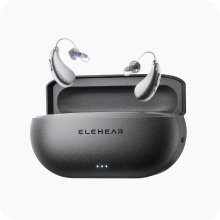
- Before the appointment, choose a quiet location with a stable internet connection, charge the hearing aids and phone, and attach the Closed caps.
- During the 45-minute appointment, a hearing screening is performed through the hearing aids, and the new ElePro Plus Mode is then available in the app.
What exactly is an ElePro Plus appointment? How is it different from a Basic adjustment?
A Plus appointment is a one on one video appointment with one of our hearing care professionals. This allows you to ask questions and get adjustments to your hearing aids in real time.
A Basic adjustment is a remote adjustment that does not happen in real time. Adjustments requests are sent through the app and will be responded to within 24 business hours. The Basic adjustments are also not as detailed and fine tuned as the Plus adjustments.
Do I need a webcam for my computer to connect to the video appointment?
No. No equipment needed. You will actually use the ELEHEAR app on your phone to connect to the video appointment.
How do I schedule myself a Plus appointment?
You can purchase your appointment either on the ELEHEAR website or through the app. Once you have made the purchase, you will receive a benefit code, which you can redeem in the app in the ElePro Audiologist section. Once you redeem your code, you can then access the schedule to make an appointment with the professional licensed in your state. You will also receive a confirmation email with your appointment details.
What do I need to do to prepare for my appointment?
At the time of your appointment, make sure you are in a quiet environment with a stable internet connection to get the best results possible. Make sure your hearing aids are charged up and connected to your app. Be sure that your phone has a sufficient charge as well. You will also need to have the Closed caps on your hearing aids. These are the ones that came attached to your hearing aids in the box. The appointment will show up on the Home screen of your ELEHEAR app. Be sure to click to join at the time of the appointment.
What should I expect to happen during the appointment?
Your hearing care professional will appear on your screen similar to a video phone call. They will ask you questions about your hearing aid use and experience and answer any questions you may have. They will then perform a hearing screening right through your hearing aids. This is why it’s important that you prepare and put those Closed caps on your hearing aids. This will allow you to hear the tones from your hearing aids more accurately. After the screening, your new settings will be applied and you will instantly be able to hear the changes. Your professional can then make any necessary changes. Be sure to let them know if it’s too loud or not loud enough etc., so they can make those changes in real time also. They may also make recommendations to change the ear caps on your hearing aids, depending on the findings from the hearing screening. The video appointment is scheduled for 45 minutes to ensure there is enough time to assess your hearing needs, evaluate your hearing and answer any questions you have about your hearing aids, your app or hearing in general.
What happens next?
After disconnecting from the video call with your hearing professional, you should receive a message in your app along with a new program called ElePro Plus Mode. If you don’t automatically receive it, you can find it in your app by going to the menu and then go to “ElePro Audiologist.” At the bottom, you will find your Care Records, which will contain your settings sent from the professional under “ElePro Plus”. Click Apply and your new mode will be available to use. You will also get a follow up email from your professional with these instructions.
Your video appointment is designed to make getting personalized hearing care simple and convenient from the comfort of your home. With guidance from your hearing care professional, you can have your hearing needs evaluated, your hearing aids adjusted, and your questions answered without having to visit a clinic. We want you to get the most out of your ELEHEAR hearing aids, and an ElePro Plus video appointment is a great way to help you reach your hearing goals.

This article is general information from a licensed hearing care professional. It isn’t a diagnosis or a substitute for a personal hearing evaluation.


