


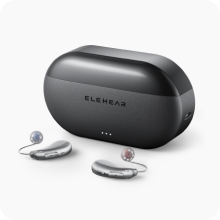
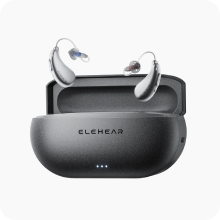


If your hearing aids suddenly sound muffled, the cause is often a blocked dome, wax filter, microphone opening, or a change in fit. Cleaning hearing aid domes and checking the small parts around the sound outlet can often restore clarity. If cleaning does not help, the next things to review are ear-tip fit and device settings.
Why Hearing Aids Can Start Sounding Muffled
Earwax is one of the most common things to check. It can collect around the dome, inside the sound outlet, or on the wax filter. Skin oils, dust, and moisture may add another layer of debris. Microphone openings can also become partially blocked, causing the incoming sound to seem quieter or less detailed.
The dome itself changes with use. A stretched, cracked, hardened, or misshapen dome may sit differently in the ear canal and change how sound reaches you. An ear tip that has shifted or loosened can also affect the seal.
Fit and settings become more likely causes when the hearing aid is clean but still sounds different. A newly fitted dome may make your own voice seem fuller. A change in ear tip size can alter bass response. Settings that work well in one listening environment may also need adjustment as you learn what feels natural in everyday conversations.
A quick symptom check can help narrow the cause before you change anything.
| What You Notice | What to Check First |
| Sound suddenly becomes quieter or dull | Dome, sound outlet, wax filter |
| One side sounds weaker | Wax or debris on that side, dome position |
| Your own voice sounds unusually full | Ear tip seal and dome style |
| Sound changes after replacing a dome | Dome size, style, and attachment |
| Whistling appears with weaker sound | Fit, dome condition, wax buildup |
| Both aids remain muffled after cleaning | Settings, ear canal blockage, or hearing changes |

How Domes, Ear Tips, and Wax Filters Affect Sound Quality
Hearing aid ear tips sit at the final part of the sound path. Domes are a common type of ear tip, and small differences in their shape, size, and ventilation can noticeably change the listening experience.
Among common hearing aid dome types, open domes allow more natural sound to enter the ear canal, while more closed styles create a stronger seal. Power domes provide still more sealing when the fitting requires it. The suitable choice depends on the hearing aid, your hearing needs, comfort, feedback control, and how the device is programmed.
A more sealed tip can strengthen certain amplified sounds, but it may also make your own voice feel fuller when the ear canal becomes more blocked. ASHA describes this as the occlusion effect in hearing-aid fittings. Changing the dome size or style is one way a hearing professional may address it.
The wax filter sits even closer to the receiver opening. Wax filters for hearing aids, also called wax guards, help keep earwax and debris away from the receiver. As the filter fills, sound may gradually lose volume or detail. Because the change can happen slowly, you may initially assume the hearing aid itself has become weaker.
A dome can look clean while the wax filter underneath it is blocked, so both parts deserve attention when sound becomes muffled.
Simple Cleaning and Maintenance Steps
Start with a visual check, clear the external openings, inspect the filter, and then deal with the dome or ear tip. This helps you identify the source of the problem without replacing several parts at once.
Start With a Quick Inspection
Wash and dry your hands, then work over a clean, well-lit surface. Look closely at the dome, receiver opening, microphone openings, and any visible wax filter.
Compare the left and right hearing aids if only one sounds muffled. A noticeable difference in wax buildup or dome shape can quickly point you toward the problem. Check that the dome is fully attached and has no cracks, tears, discoloration, or distortion.
Before changing settings, put the hearing aid on briefly and listen again. ASHA's daily hearing-aid care and troubleshooting tips specifically recommend checking whether the microphone or sound opening is blocked when a device is not working normally.
Clean Microphone Openings and Surfaces
Use a soft, dry, lint-free cloth to wipe the outer surface. Hold the hearing aid securely and gently brush debris away from microphone openings with the cleaning brush supplied for your device.
Use light strokes. Sharp objects such as needles, pins, or toothpicks can push debris farther into an opening or damage a small component.
Current hearing aid cleaning and troubleshooting instructions from ELEHEAR similarly recommend wiping the device and domes with a dry cloth and gently brushing openings and crevices with the provided maintenance tool.
Check and Replace Wax Filters
Remove the dome according to your model's instructions so you can see the wax guard underneath. If the filter looks covered with wax or the sound remains weak after cleaning the outer parts, replacement may restore the sound path.
Replacement tools commonly have one end for removing the used filter and another for inserting the new one. Pull the old guard straight out, insert the correct replacement, and confirm that it sits securely before putting the dome back on. The replacement instructions for wax guards show this process for compatible models.
Replacement frequency varies with earwax production, wearing time, and the specific product. Visual inspection and changes in sound are more useful than waiting until the filter is completely blocked.
Clean Hearing Aid Domes and Ear Tips
For routine cleaning hearing aid domes, wipe away surface wax and moisture with a soft cloth. If the dome can be removed, follow the manufacturer's instructions for deeper cleaning and make sure it is completely dry before putting it back on the receiver.
Keep the receiver and electronic parts away from water. A dome that remains dirty after cleaning, has become stiff, or no longer holds its original shape is usually better replaced than repeatedly scrubbed.
When reinstalling the dome, press it onto the receiver as directed and check that it is secure. A loose dome can change the fit and may create additional sound problems.
Keep Cleaning Safe
Use the cleaning tools and products recommended for your hearing aid. Avoid soaking electronic components, exposing them to high heat, or applying household cleaners directly to the device.
Clean over a table rather than a sink, so small parts are easier to control. If a dome, filter, or other component does not come off with normal pressure, check the manual before forcing it. Small receiver components can be damaged by aggressive pulling or scraping.
When Fit and Settings Need Adjustment
If cleaning restores volume but the sound still seems closed, boomy, sharp, or unnatural, fit deserves another look.
Start with the dome. A tip that is too loose may shift and change the acoustic seal. A tip that creates more sealing than you need may make your own voice and other low-pitched sounds feel heavier. Different ears may even need different sizes.
A recent dome change is an especially useful clue. If the muffled sound began immediately after switching sizes or styles, return to the compatible option that previously felt comfortable or ask for fitting help.
Settings come next. Avoid making several large adjustments at once. Change one control slightly, listen during a familiar conversation, and notice whether speech becomes easier to follow without other sounds becoming uncomfortable.
For supported models, the ELEHEAR app provides frequency fine-tuning and everyday adjustments. When more personalized support is needed, ElePro Basic provides remote hearing support based on hearing screening information and listening needs, while ElePro Plus offers optional paid remote professional fine-tuning for compatible devices. Describe what sounds difficult, such as whether voices are loud enough but words still seem dull or unclear.
A hearing aid can only address problems occurring in the device and fitting. If your hearing itself suddenly changes, becomes much worse in one ear, or you also experience ear pain, drainage, or severe dizziness, the FDA's OTC hearing-aid guidance recommends medical evaluation rather than continued self-adjustment.

Building Better Hearing Aid Care Habits for Consistent Performance
Regular care helps keep sound quality more consistent and makes small changes easier to notice before they affect everyday listening.
- Check your hearing aids daily. A quick look at the domes, ear tips, and visible openings can help you catch wax, moisture, or loose parts early.
- Set a weekly maintenance routine. Regular checks make it easier to notice gradual changes in sound, fit, or component condition.
- Keep replacement parts available. Having compatible domes and wax filters on hand can prevent a small blockage from interrupting daily use.
- Store hearing aids properly. Keep them in their charging or storage case when they are not being worn, and protect them from excess moisture, heat, and dust.
- Keep the devices dry before charging. Dry hearing aids and charging contacts support more reliable charging and help protect the components over time.
- Use regular care as a baseline. If clean, well-maintained hearing aids still sound muffled, you can move on to checking the fit or settings instead of repeatedly cleaning the same parts.
Start With the Simple Causes of Muffled Sound
A muffled hearing aid often deserves a few practical checks before you assume something major has failed. Inspect the dome, ear tip, microphone openings, and wax filter, then confirm that the fit still feels secure. If the device is clean and properly fitted, review your settings and listening feedback. Consistent care makes these changes easier to spot and helps keep everyday conversations sounding more predictable.
Common Questions About Muffled Hearing Aid Sound
Q1. How Often Should Hearing Aid Domes Be Replaced?
Replace a dome when it becomes cracked, stretched, hardened, discolored, misshapen, or difficult to keep clean. The exact schedule varies with the device, wearing time, moisture, and earwax buildup, so follow the instructions for your hearing aid rather than relying on one interval for every dome.
Q2. Can a Clogged Wax Filter Make Hearing Aids Sound Muffled?
Yes. A blocked wax filter can reduce the amount of sound leaving the receiver, making the hearing aid seem quieter or less clear. Check the filter whenever sound quality drops, especially if cleaning the dome does not solve the problem.
Q3. Why Does My Own Voice Sound Muffled After Changing Ear Tips?
The new ear tip may create a different seal in your ear canal. A more closed fit can make your own voice sound fuller or more blocked. Confirm that the size and dome style are compatible with your hearing aid and fitting before changing other settings.
Q4. Why Does Only One Hearing Aid Sound Muffled?
A one-sided problem often points to something specific on that device, such as a blocked wax filter, dirty dome, covered microphone opening, or loose ear tip. Clean and compare both sides first. If your actual hearing has changed suddenly in one ear rather than only the device sounding different, seek prompt professional care.


