




Bluetooth hearing aids can work with many iPhone and Android models, but not every phone or every feature is compatible. Compatibility depends on the hearing aid model, exact phone model, operating system, app requirements, and Bluetooth connection method. Before buying, check each feature you plan to use rather than treating successful pairing as full compatibility.

What Does Hearing Aid Compatibility Actually Include?
A phone and hearing aid can be compatible in one area but not another. Check these functions separately:
- App control: Adjusting volume, sound modes, directionality, or other settings
- Hearing screening and personalization: Completing an in-app hearing screening and creating a listening profile, when supported
- Call streaming: Hearing the caller through the hearing aids
- Media streaming: Playing music, podcasts, videos, navigation prompts, and other phone audio
- Hands-free calling: Using the hearing aid microphones for your voice instead of speaking into the phone
- Remote support: Sending settings or requesting assistance through the app
What Should iPhone Users Check Before Buying Hearing Aids?
Start with the hearing aid manufacturer’s iPhone compatibility information. Some hearing aids use Apple’s Made for iPhone system, while others connect through standard Bluetooth. The correct pairing path depends on the hearing aid design.
Before purchasing, check:
- Your exact iPhone model: Do not rely only on the fact that it is an iPhone.
- Your iOS version: The hearing aid app may require a newer version than the phone currently runs.
- The manufacturer’s app listing: Confirm that the app is available in your country and works with your iOS version.
- The supported audio functions: Look separately for calls, music, videos, and hands-free calling.
- Required permissions: Bluetooth and microphone access may be needed. Bluetooth access is required for pairing, while microphone access may be needed for calls, Remote Sound Capture, or other microphone-based features.
- The pairing instructions: Made for iPhone devices may appear under Settings > Accessibility > Hearing Devices, while standard Bluetooth models may use the regular Bluetooth menu or the manufacturer’s app.
The current ELEHEAR app listing, for example, requires iOS 15.0 or later. App requirements can change with updates, so confirm the latest ELEHEAR App Store information rather than relying on an older manual or review.
What Should Android Users Check Before Buying Hearing Aids?
Android compatibility requires closer model-level checking because two phones running the same Android version may use different Bluetooth hardware, manufacturer software, and accessibility settings.
For Bluetooth hearing aids, Android users should verify:
- The full phone name and model number
- The installed Android version
- Any required manufacturer interface, such as Samsung One UI
- The hearing aid app’s minimum requirements
- Support for direct call and media streaming
- Whether the phone uses ASHA (Audio Streaming for Hearing Aids), Bluetooth LE Audio, or standard Bluetooth for the required feature
- Which Bluetooth, Nearby Devices, microphone, or location permissions the app requests on that Android version
ASHA enables direct audio streaming on supported combinations of Android phones and hearing aids. Newer devices may use Bluetooth LE Audio, while other hearing aids rely on standard Bluetooth. These connection methods are not interchangeable, so support for one does not guarantee compatibility with another.
When searching for hearing aid compatible Android phones, avoid assuming that every device in a phone family behaves identically. A Galaxy S model, Galaxy A model, and carrier-specific version may not offer the same connection behavior. Google’s official instructions show how to pair hearing aids with an Android device, but successful pairing still does not confirm that every app and streaming feature is supported.
If a manufacturer provides a tested-device list, match the complete model number rather than only the marketing name. If your phone is not listed, ask support whether it is untested or known to be incompatible. Those are different situations.

Why the App Connects but Calls or Music Do Not Stream
The app and audio streaming may use separate Bluetooth connections. The low-energy connection used to change volume or listening modes can work even when the audio connection is missing, disabled, or unsupported.
This explains several common situations:
- The app shows both hearing aids, but YouTube audio plays through the phone.
- Music streams correctly, but phone calls do not.
- Calls reach the hearing aids, but the phone microphone is still required.
- Only one hearing aid receives audio.
- The hearing aids reconnect to the app after restarting but not to the phone’s media output.
First, open the phone’s audio-output menu and confirm that the hearing aids are selected. Then confirm that the hearing aids are selected as the audio output. On phones that provide separate Bluetooth controls for calls and media, make sure the required options are enabled. If the product requires separate app and audio pairing, complete both steps in the order given by the manufacturer.
Do not repeatedly remove and re-pair the devices before reading the instructions. Some models must first be paired through the app, while others begin in the phone settings.
How Can Shoppers Check ELEHEAR Phone Compatibility?
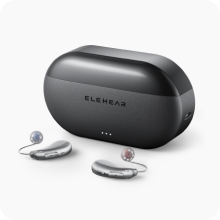
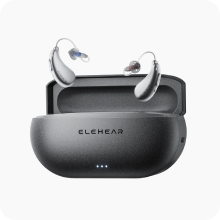
Review the compatibility and setup information for the specific ELEHEAR model you plan to buy. Beyond, Beyond Pro, and Delight have model-specific designs, instructions, and connected features. Start by identifying the functions available with ELEHEAR Bluetooth hearing aids, including call and music streaming, video audio, online meetings, and app control. Then confirm whether your exact hearing aid and phone combination supports each feature you plan to use.
Use this checklist before purchasing:
- Record the phone’s exact model number and operating system version.
- Confirm that the ELEHEAR app can be installed from the official App Store or Google Play listing.
- Review the requirements for the selected hearing aid model.
- Decide which functions matter: app adjustments, hearing screening, calls, music, videos, remote sound capture, or hands-free use.
- Ask ELEHEAR support to confirm any feature that is not clearly listed.
- Recheck compatibility before replacing or upgrading the phone.
The ELEHEAR support center provides current setup and mobile-device guidance. Product pages should also be checked because requirements may be model-specific. For example, ELEHEAR Beyond Pro supports Bluetooth streaming for calls and media on compatible Apple and Android devices, along with app-based adjustments.
Compatibility information can change after a phone or app update. Recheck the current requirements before upgrading your phone or installing a major operating system update.
What Should You Test After Pairing?
Test the functions you expect to use while the product is still within its return period.
Check the following:
- Adjust the volume in the app.
- Change listening modes and confirm that the hearing aids respond.
- Make both an incoming and outgoing call.
- Check whether call audio reaches both hearing aids.
- Confirm whether you should speak through the hearing aid microphones or the phone.
- Play music, a podcast, and a video.
- Test notification and navigation audio.
- Lock the screen and make sure streaming continues.
- Place the phone in a pocket or bag and check connection stability.
- Restart the phone and test automatic reconnection.
If one function fails, check the app permissions and the phone’s audio-output selection. Nearby Bluetooth accessories can also affect which device receives the audio, so temporarily disconnect headphones, speakers, or another paired phone during troubleshooting.
Next, update the app and phone software, restart both devices, and follow the model-specific re-pairing instructions. When contacting support, describe exactly what works and what does not. For example, “The app changes the volume, but calls and music still play through the phone” is more useful than saying that Bluetooth is not working.

Confirm Every Feature Before You Buy
Bluetooth hearing aids do not work identically with every phone. Reliable compatibility depends on the hearing aid model, phone model, operating system, app version, connection method, and the feature being used. Check app control, calls, media streaming, and hands-free operation separately. For ELEHEAR devices, review the current model page and app requirements or confirm the specific phone with support before purchasing or changing phones.
FAQs
Q1. Can Bluetooth Hearing Aids Pair With Two Phones?
Some models can remember several devices but actively connect to only one phone at a time. Others support multipoint connections. Check the hearing aid’s manual before expecting automatic switching between personal and work phones.
Q2. Will Hearing Aids Still Work Without a Phone?
Yes. Their core sound-amplification functions generally work without a nearby phone. However, app adjustments, streaming, remote microphone functions, translation, and other connected features require a compatible phone.
Q3. Does Bluetooth Streaming Use More Hearing Aid Battery?
Usually, yes. Continuous calls or media streaming consume more power than amplification alone. The practical difference depends on the hearing aid, battery condition, streaming time, connection stability, and listening volume.
Q4. Does Tablet Compatibility Guarantee Phone Compatibility?
No. A tablet and phone may run related operating systems but have different Bluetooth hardware, software versions, and calling capabilities. Verify each device separately, especially if phone-call streaming is required.


